
Flashcard Factory: How to Build Your Own Approval Machine
Transform your studies by creating an efficient flashcard system. Discover how to build your own memorization 'factory' and conquer any exam.
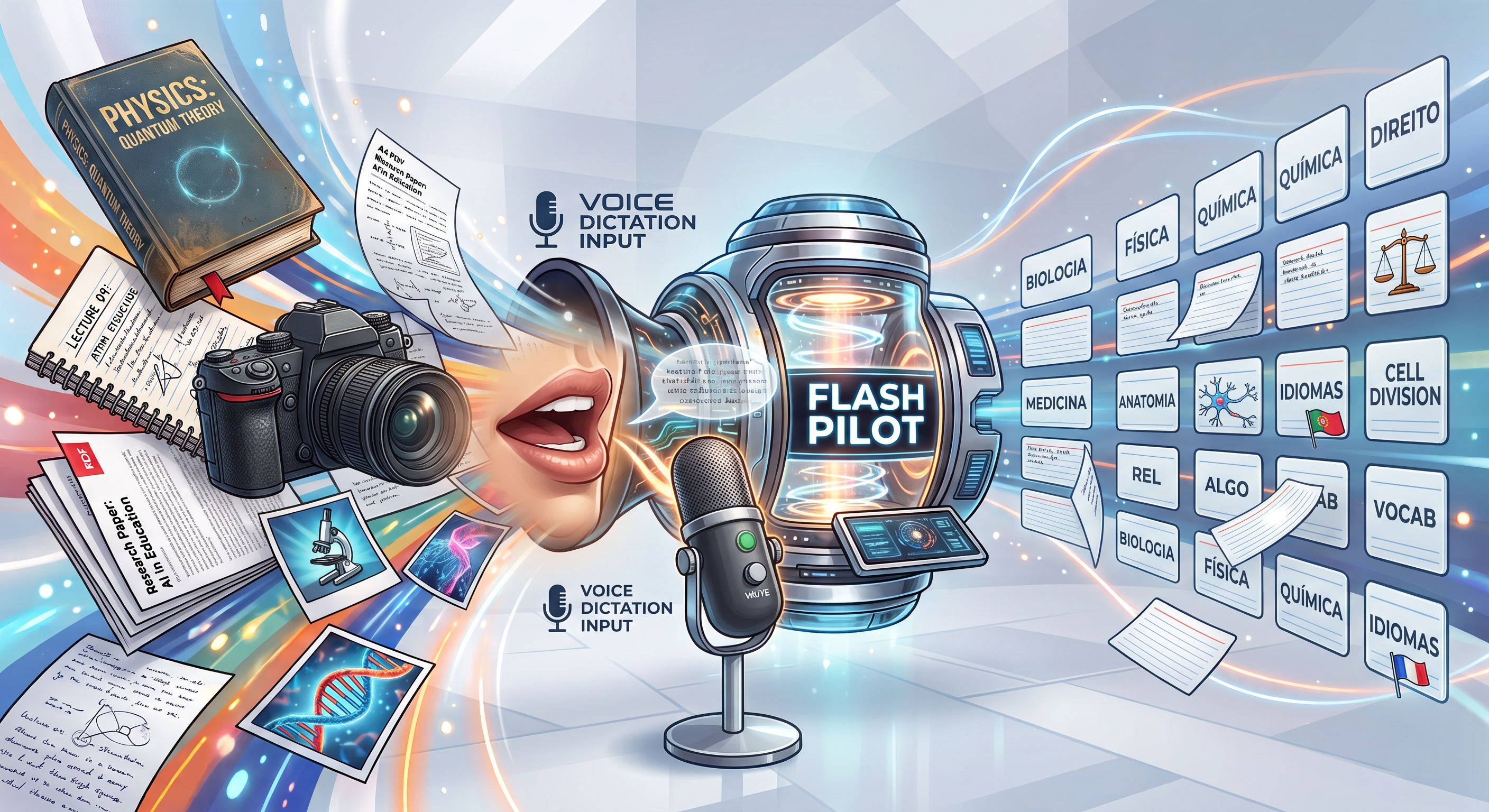
Learning doesn't have to be an exhausting marathon of rereading. If you feel like you forget everything you study as soon as you close the book, the solution lies in creating a personalized flashcard factory capable of consolidating knowledge into your long-term memory.
The Concept of the Knowledge Factory
Think of your studies as an assembly line. Instead of just consuming content, you should process information and turn it into atomic memory blocks. The technique consists of isolating simple concepts, questions, and answers that force your brain to actively retrieve the information.
Raw material: The lecture notes, books, and summaries you already possess.
Processing: The transformation of dense texts into direct questions.
Final product: Flashcards optimized for spaced repetition.
How to Structure Your Production System
For your factory to work, you need a clear method. Do not try to turn everything into cards; focus on what is truly complex or requires pure memorization. Follow these steps to organize your production:
Identify the essential: Focus on dates, formulas, definitions, and key concepts.
Use the simplicity rule: A flashcard should contain only one idea at a time.
Prioritize clarity: If the question is ambiguous, your brain will not be challenged correctly.
Automating Review with FlashPilot
A factory is only efficient if the product reaches the right destination at the right time. This is where technology comes in to organize your study flow. Utilizing a tool like FlashPilot allows you not only to create but to automatically manage the review time for each card.
FlashPilot brings together a complete ecosystem of accelerated learning with the PilotAI engine, organized into the following modules and features available to the user:
---
1. Intelligent Study & Review (Flashcards)
Spaced Repetition Algorithm (SM-2): automatic scheduling of reviews based on the forgetting curve, with 4 evaluation levels (Again, Hard, Good, Easy*).
* Flashcard Formats:
* Traditional: front (question) and back (answer).
* Multiple Choice (MCQ): interactive alternatives with immediate feedback.
* Cloze Deletion: hiding key terms for active completion.
* ImagePilot: diagrams and illustrations with targets and structures focused on transparent highlights on the front and resolution on the back, with proportional zoom on mobile and PC.
Audio and Pronunciation (TTS - PilotAI Voice): reading the question and answer aloud with support for multiple languages and cloze reading (blank*).
* Voice Dictation (STT): spoken response via microphone for studying without using the keyboard.
* Flexible Study Modes: general study of pending items, by subject, by topic, or by specific deck. Options to shuffle or follow the original order.
* Reset Review History: button to clear all repetition statistics and start the deck from scratch.
---
2. Flashcard Creation
* Individual Manual Creation: direct registration with question, answer, subject, topic (required), and subtopic (optional).
* Automatic Creation with PilotAI:
* From photos of books or notebooks (via mobile camera or upload).
* From documents (PDF, DOCX, TXT files).
* From pasted text.
* Automatic Subject and Topic Identification: PilotAI analyzes the content and automatically categorizes it in alphabetical order.
* Preview and Edit: review and adjustment of each generated card before saving to the personal collection.
* CSV Import: batch loading of question and answer spreadsheets.
---
3. Study Notebooks (Flash Sessions)
Custom Grouping: creation of thematic notebooks (e.g., "OAB Final Stretch", "Exam Simulation"*).
* Free Selection: inclusion and exclusion of flashcards from different subjects in a single focused review session.
---
4. Notes, Study Guides, and Mind Maps
* Rich Notes Editor: formatting with graded headings (20px, 18px, 16px), lists, tables, and images.
* Formatting with PilotAI: restructuring of drafts and raw notes into professional educational texts, processed in continuous blocks.
* PDF Study Guide Generation: compilation of notes into a file ready for printing or offline reading with clean layout.
* Mind Maps with PilotAI: generation of structured conceptual diagrams from notes or flashcard sets, with an interactive viewer and zoom.
* Deadline Scanning: automatic identification of dates, legal deadlines, and article numbers in texts to generate deadline memorization cards.
* Integrated Videos: inclusion of YouTube links for direct viewing within the note.
---
5. Conversation and Language Practice (PilotAI Tutor)
* Conversation Chat: interactive dialogue with a tutor in supported languages.
* Automatic Audio and Speech: immediate audio playback of each tutor response and automatic submission when you stop speaking into the microphone.
Repeat After Me: pronunciation training with precision calculation and feedback on errors.
* Transform Speech into Flashcard: button to convert any sentence or conversation correction directly into a new study flashcard.
---
6. Missions & Productivity Cockpit
* Missions Carousel (Home): cards per subject indicating overdue cards, pending quantity, and a quick review shortcut with swipe effect on mobile.
* Integrated Pomodoro Timer: focus timer (25 min) and breaks (5 min / 15 min) accessible at the top of the system without interrupting navigation.
* Reminders via Telegram: guided connection with the official bot (@flashpilot_bot) via QR Code on PC or native button on mobile to receive daily review alerts.
---
7. Performance Reports and Statistics
* Retention and Success Rate: historical evolution charts of the student.
* Deck Distribution: volume of new cards, in fixation process, reviewed, and mastered.
* Study Time: tracking of completed sessions.
---
8. Store & Coins (FlashCoins)
* FlashPilot Pro Subscription: unlocking large monthly limits for AI cards, mind maps, study guide formatting, and conversation tutor.
* FlashCoin Packages: acquisition of additional one-off coins for use with PilotAI generations.
* Official Modules and Subjects: acquisition of complete and updated content prepared by the FlashPilot team (read-only for the student).
9. Account, Security & Preferences
* 7 Interface Languages: instant switching between Portuguese (Brazil), Portuguese (Portugal), English, Spanish, French, Italian, and German.
* Dark Mode / Light Mode: interface with a high-contrast, legible aerospace aesthetic.
* Anti-Copy Protection: interface protection against improper selection, copying, cropping, and downloading of proprietary materials.
* Profile Management: update of registration data, international phone number, and password reset.
* Privacy and GDPR: full export of user data in a standardized format and option for permanent account deletion.
* Blog: reading articles on memorization techniques, news, comments, and reviews.
Would you like to detail the rules or usage limits for any of these specific modules?
Spaced repetition is the engine that keeps your flashcard factory always operating at peak productivity.
Start Your Production Today
Don't wait until the semester ends to start organizing your study material. Take ten minutes after each class to create five flashcards on the covered topic. With this daily practice, you will have a vast library ready for pre-exam reviews. Download FlashPilot now and start building your own approval factory!
Rate this post
Get new posts
Get new FlashPilot posts delivered to your inbox.